

Earlier this month we announced our new native integration with Google Kubernetes Engine (GKE), allowing you to set up CI/CD and Kubernetes deployment in just a few clicks. If you're new to GitLab CI on Google Cloud Platform (GCP), we've put together a quick demo and instructions you can view below. For a more detailed walkthrough and the chance to ask questions, join us on April 26 for a live demo.
Demo
Instructions
Add a Kubernetes Engine cluster
Head on over to the CI/CD -> Kubernetes menu option in the GitLab UI. Here you can add your existing cluster to your project or create a brand new one.
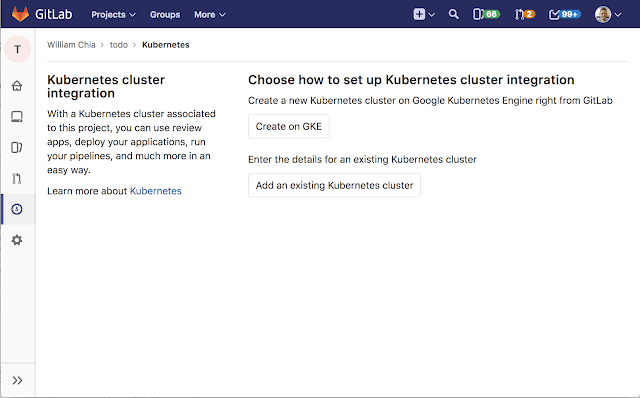 {: .shadow.center.medium}
Once connected, you can install applications like Helm Tiller, Ingress, Prometheus, and GitLab Runner to your cluster with just one click.
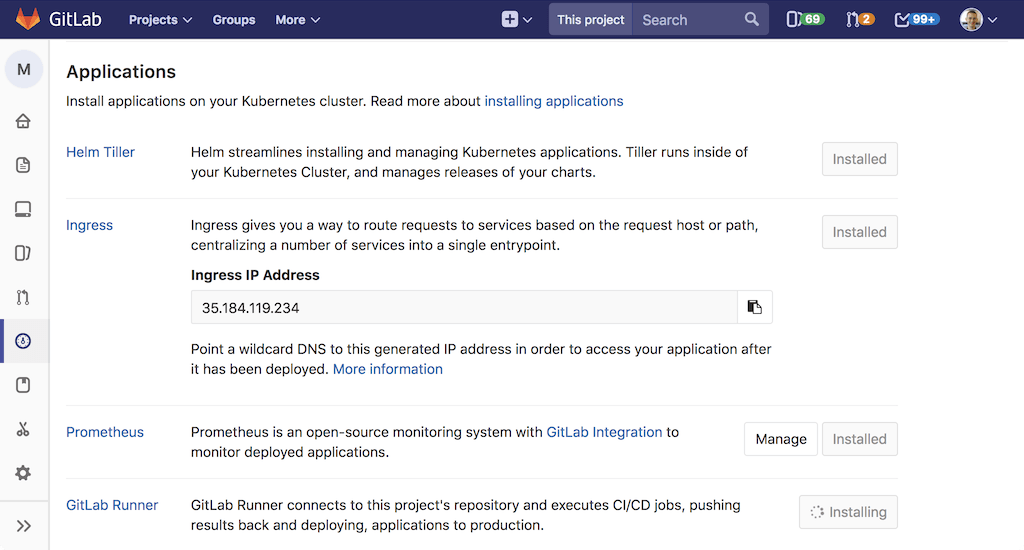 {: .shadow.center.medium}
Enable Auto DevOps
We've also worked with Google to integrate GitLab Auto DevOps with GKE. Using them together, you'll have a continuous deployment pipeline that automatically creates a review app for each merge request and once you merge, deploys the application into production on production-ready GKE.
To get started, go to CI/CD -> General pipeline settings, and select “Enable Auto DevOps.” For more information, read the Auto DevOps docs.
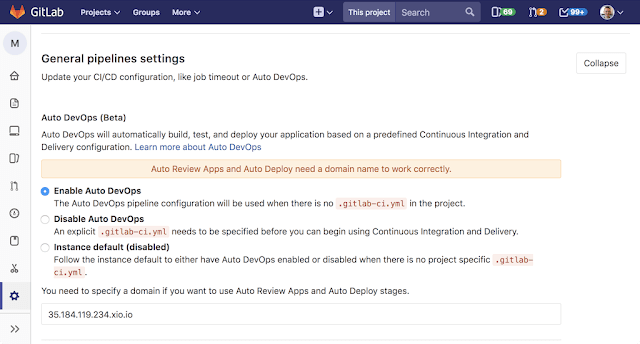 {: .shadow.center.medium}
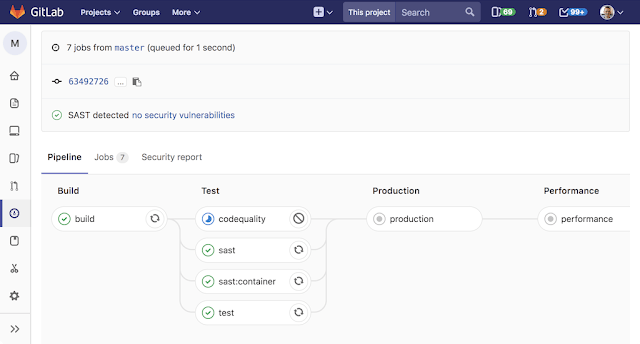
Auto DevOps takes the manual work out of CI/CD by automatically detecting what languages you’re using, and configuring a continuous integration and continuous deployment pipeline that results in your app running live on the Kubernetes Engine cluster.
 {: .shadow.center.medium}
Now, whenever you create a merge request, we'll run a review pipeline to deploy a review app to your cluster where you can preview your changes. When you merge the code, GitLab will run a production pipeline to deploy your app to production, running on Kubernetes Engine!
Get $500 credit for your project
Every new Google Cloud Platform account receives $300 in credit upon signup. In partnership with Google, we're offering an additional $200 for both new and existing GCP accounts to get started with the GKE integration. Here's a link to apply for your $200 credit.
Join Google and GitLab for a live demo
Join Google’s William Denniss and GitLab’s William Chia for a walkthrough of the integration on April 26. You’ll learn how easy it is to set up a Kubernetes cluster, how to deploy your app using GitLab CI/CD, and how GKE enables you to deploy, update, and manage containerized applications at scale.